Premium makes downloading faster and gives your account a special label, here is everything you need to know before you upgrade so you will not get confused
1 What You Get With Premium
Every premium plan gives you the same two benefits, whether you choose 1 month or 3 months
fast_forward
Skip Ads When Downloading
You go straight to the download sheet without opening the ad page first
workspace_premium
Premium Label
A special check label appears next to your username on your account page and on your profile page that other users can see
2 The Three Label Styles
There are three check labels on Library Modules, each one has a different meaning, so you can tell what kind of account you are looking at
Blue Check
Marks a verified developer, it is earned automatically when an account meets the developer requirements, it cannot be bought
Not for sale
Purple Check
Marks a premium account, it appears while your premium is active and disappears when it ends
From Premium
Gold Check
Shown when an account is a verified developer and also has active premium at the same time, it appears automatically and cannot be bought separately, when premium ends it goes back to the blue check
Verified developer + Premium
3 Plans and Prices
Pick one plan, both plans give the same benefits, the only difference is how long they last
| Plan | Duration | Price |
|---|
| 1 Month | 30 days | Rp15.000 |
| 3 Months | 90 days | Rp45.000 |
Prices are estimates converted from Indonesian Rupiah (Rp15,000 and Rp45,000), the final amount follows the exchange rate on the payment page
4 How to Upgrade
The whole process only takes a few minutes, follow the steps in order
1
Choose your plan in the app
Open the You tab, find the Premium row, tap Upgrade, then choose 1 Month or 3 Months
2
Open the payment page
Continue in the app until our payment page opens, then follow the pictures below one by one
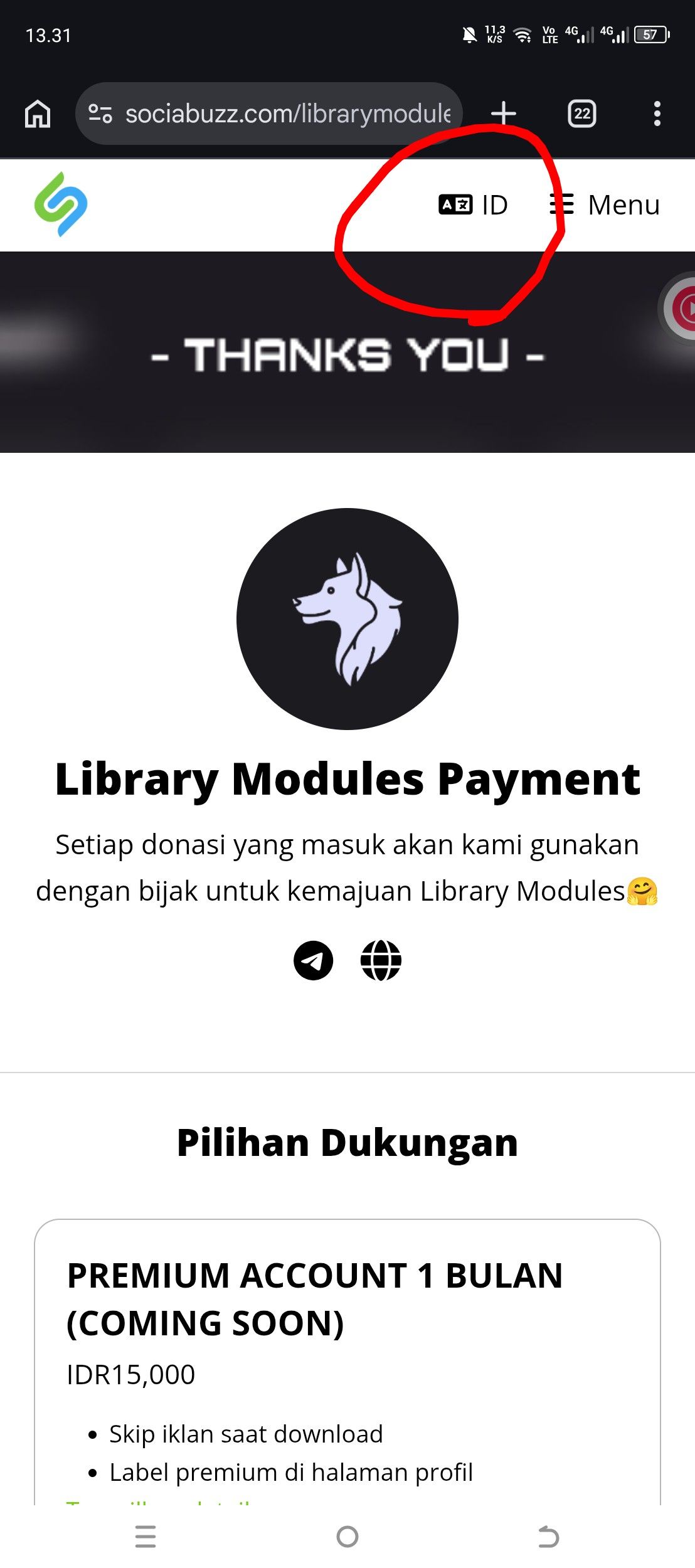
aChoose the language that matches your country
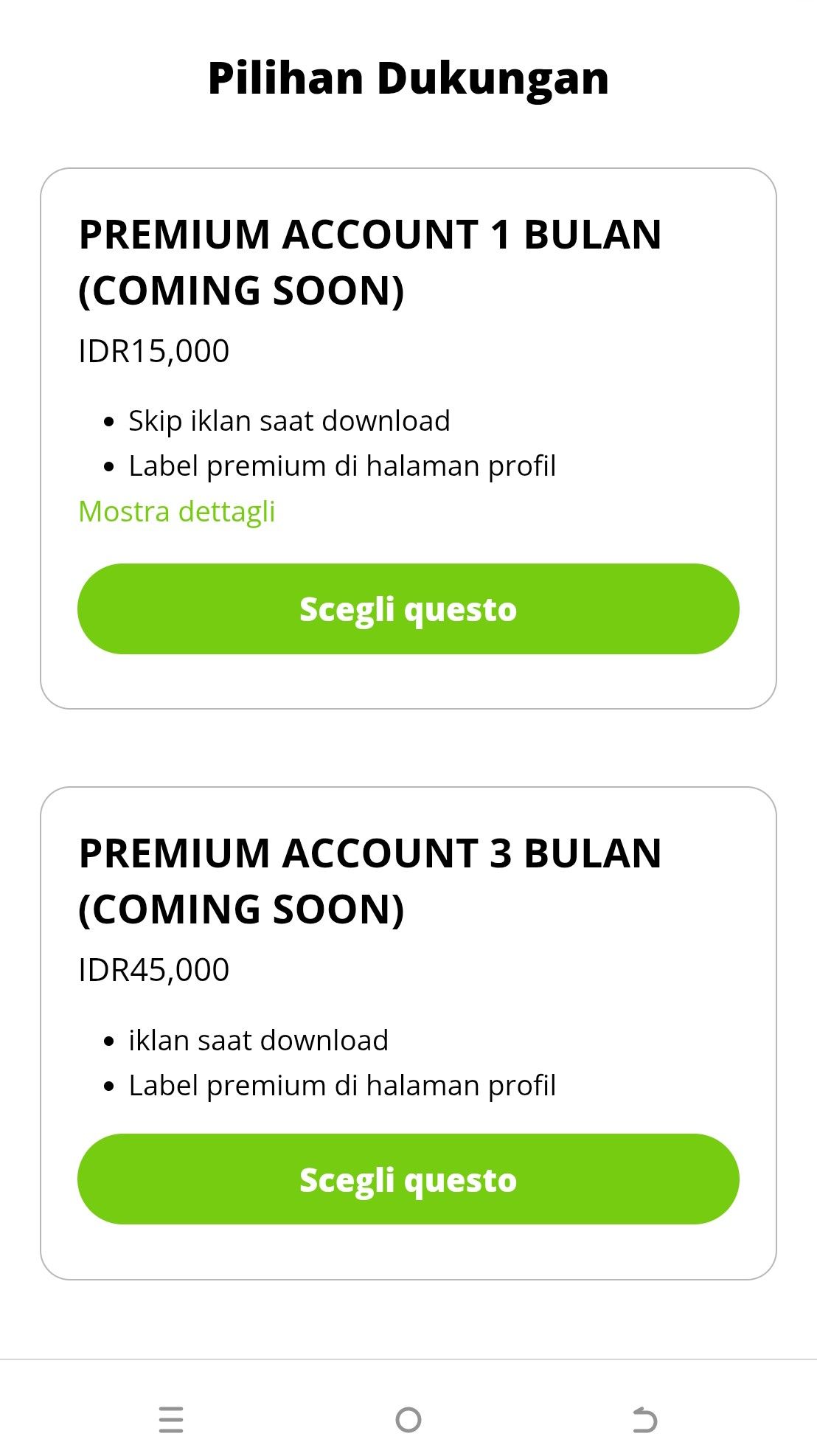
bThen pick the same plan
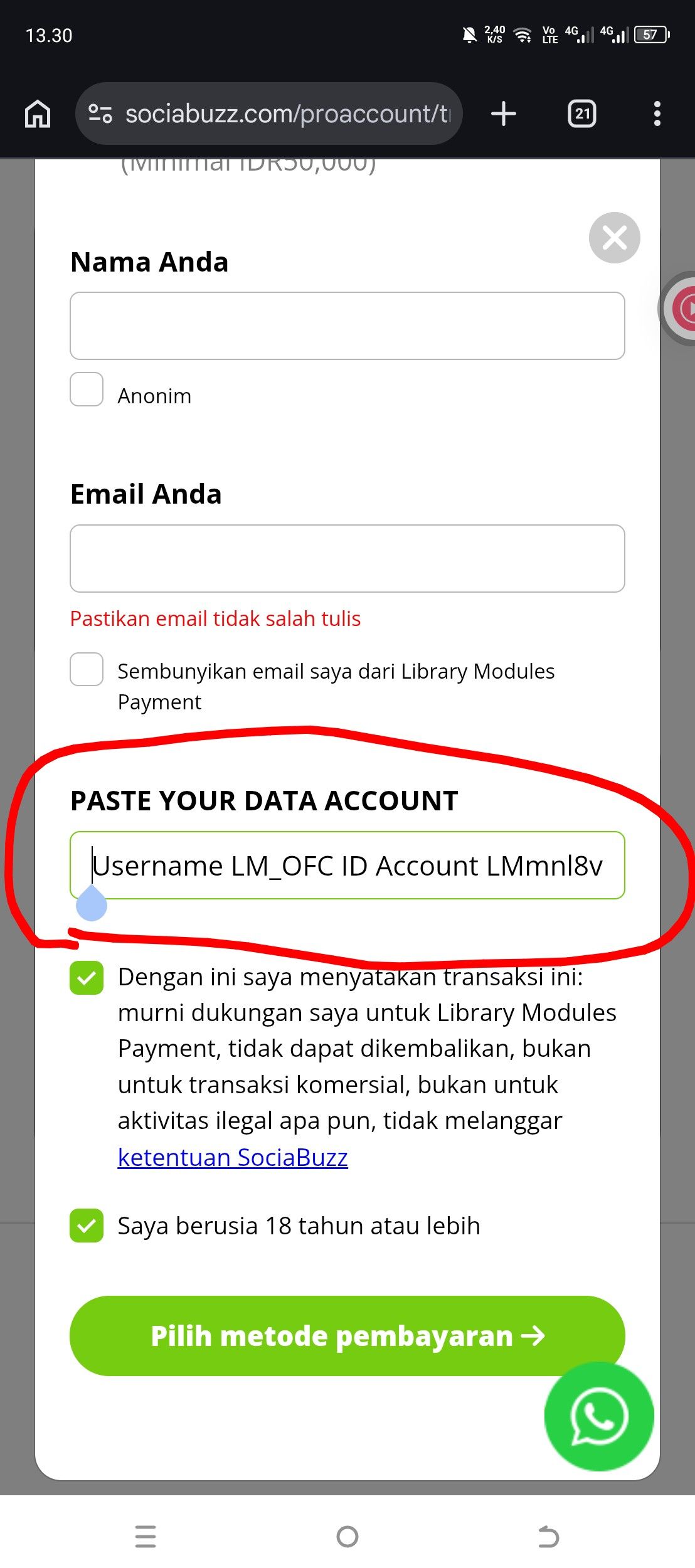
cFill in your details
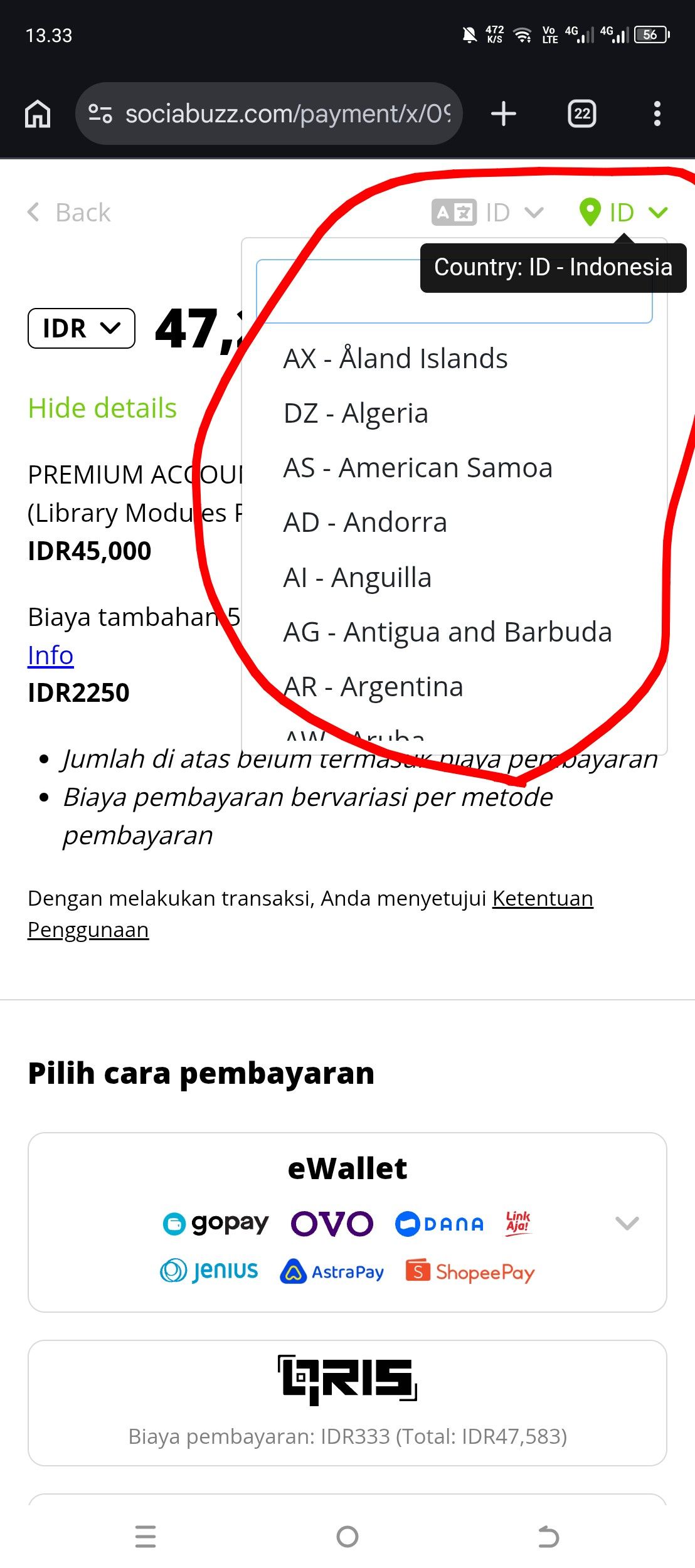
dPayment method
3
Paste your account data
The app copies your account data for you
Example of the data you will paste
Username: yourname
ID Account: LM-XXXXXX
Email: you@example.com
Paket: 1 Bulan
The Paket line is written in Indonesian on purpose so our admin can read it quickly, please do not change it
4
Wait for activation
After you pay, wait up to 24 hours, we will process your account as soon as possible, check your inbox and your email for updates
5 Important Rules
block
Premium cannot be extended while it is still active, you can upgrade again only after your premium ends
report
A payment made while your premium is still active will not extend it and cannot be refunded, so please wait until it ends before paying again
- check_circleUse only the account data copied from the app, a wrong username or email makes your account hard to find
- check_circleWhen premium ends, your label and ad skipping go back to normal, and you can buy a new plan any time
6 Frequently Asked Questions
expand_more
expand_more
expand_more
expand_more
expand_more